Malam Sama Kembar Controls
Move clean, interact clean, and stop fumbling prompts while the twins chase.
Why controls decide clears
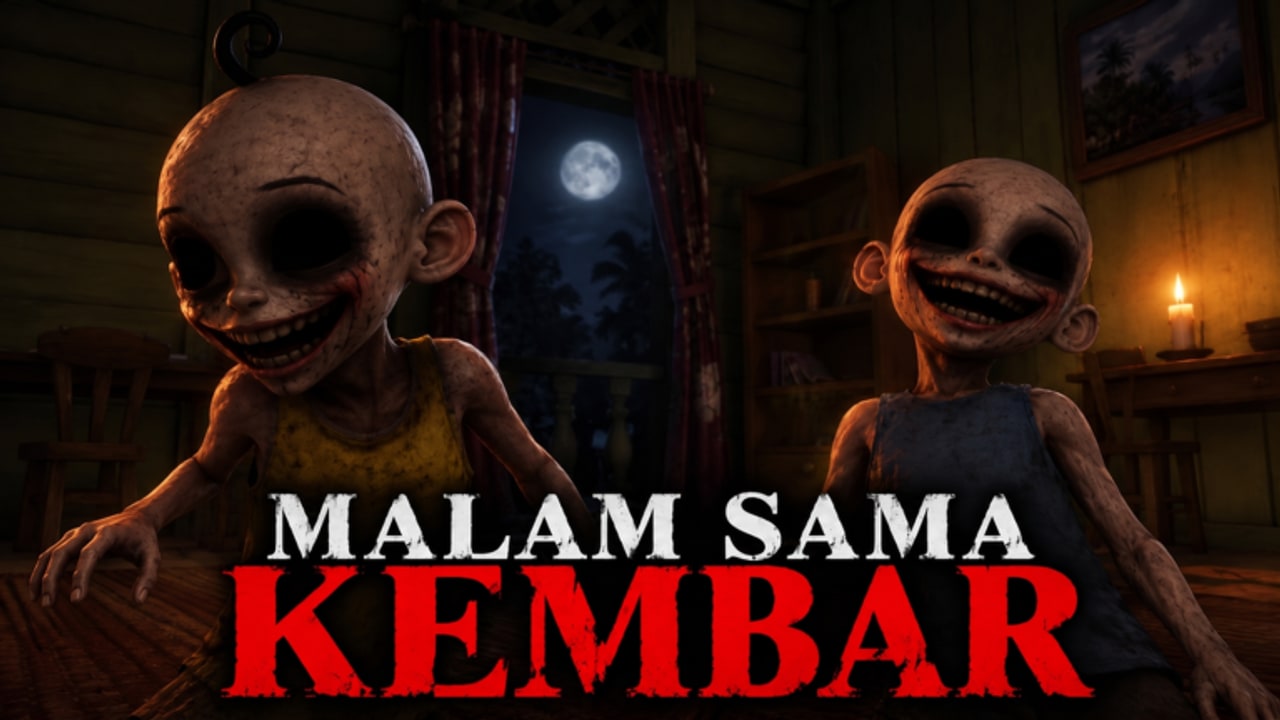
Malam Sama Kembar (Night with the Twins) is a Roblox survival / escape horror by My.. group (Phoenix5278). The loop is simple on paper: find four keys, secure the house CODE, grab a crowbar, and escape Opah’s house while avoiding the anomalous twins (si Kembar, Upin & Ipin style). In practice, most wipes are input mistakes — sprinting into a dead end, missing a wardrobe prompt, or opening Settings mid-chase.
This page is the input layer for WIP Version 1.3 (released 30 October 2026, max 25 players). Pair it with Getting Started for the premise and Survive the Twins for chase theory. Objective routing lives on Find Keys and Code and How to Escape.
Default Roblox movement (all platforms)
Roblox standard movement applies:
- Move with WASD (PC), left stick (console), or left thumbstick / virtual stick (mobile).
- Look / camera with mouse, right stick, or touch drag.
- Jump when the layout allows — useful for small props, not a free “outrun the twins forever” button.
- Interact when a world prompt appears on drawers, notes, keys, doors, keypads, wardrobes, and tools.
Treat every interactable as a commitment. Opening a drawer, reading a note, or entering a wardrobe locks your attention for a beat. If chase audio rises, cancel or finish fast — do not start a slow loot animation you cannot abort.
PC keyboard habits that matter
On keyboard and mouse, community clears repeatedly cite:
- Crouch bound to C on many layouts — use it in tight rooms when you need a quieter profile near a twin path.
- Sprint (Shift or the experience’s sprint bind) for hallway breaks, then release before wardrobe entry so you do not overshoot the prompt.
- Keep one finger ready for interact the moment furniture highlights; fumbling the key while facing a closet is a classic death.
- Open chat only when safe. Typing the house CODE for teammates is mandatory for clear rates, but typing while a twin is on your back is optional comedy.
Bind comfort beats fancy setups. If your crouch and interact keys fight each other, remap in Roblox settings before a serious Nightmare attempt.
Wardrobe and hide prompts
Hides are interact prompts, not automatic magnets. Best habits:
- Pre-scout two hides per wing while the house is calm — see Hiding Spots.
- Approach the furniture facing the prompt clearly; stop sprint a step early.
- Press interact once — spam clicking advertises you and can desync the enter animation.
- After exit, relocate; repeating one closet teaches both the AI and watching players.
Critical rule echoed across clears: do not commit to a long wardrobe hide while still holding hot escape keys or tools if the twins can still path into you. Drop or stash when you plan to sit still, or keep kiting. Full survival context is on Survive the Twins.
Settings → Codes path (promo codes only)
Promo codes are optional. The house CODE (note / keypad digits) is a different objective entirely.
When you actually have a string from My.. group (group id 33821480):
- Reach a calm moment — never mid-chase.
- Open the in-game Settings menu.
- Find the Codes tab / panel.
- Type carefully (case often matters) and redeem.
As of 11 November 2026, this wiki still has no verified active promo codes for place 95525762235977. Join the group for future drops; redeem steps and troubleshooting live on How to Redeem Codes and the Codes Hub. Do not paste strings from Malam Sama Opah / Nenek (Sabun Studios) — different game.
Mobile thumb tips
Mobile lobbies clear this game constantly, but thumbs fight UI more than mice do:
- Keep the interact button reachable without covering the whole screen with your hand.
- Release sprint before wardrobe or keypad approach; momentum overshoots prompts on small screens.
- Raise media volume; chase telegraphs are audio-first. Headphones beat phone speakers in a noisy room.
- Avoid opening the full Roblox menu or Settings during pressure — the twins do not pause for UI.
- If your device thermal-throttles, lower graphics so camera turns stay responsive in hallways.
Practice one “calm loot” life where you never sprint unless chase audio spikes. Muscle memory for prompt timing matters more than raw speed.
Console notes
On controller:
- Confirm which face button is interact in the first calm room before the tone flip.
- Use the stick for precise camera peeks around corners instead of swinging wide into line of sight.
- Crouch / walk toggles (if exposed) help near furniture clusters; do not rely on full-stick sprint in every corridor.
- Text chat is slower on console — use voice if your stack has it, and still type the CODE once in chat when digits are found so randoms can help.
Full servers (up to 25) amplify prompt contests: two players mashing the same wardrobe can soft-lock the enter animation. Call “hiding left closet” and leave premium furniture for the person actually chased.
Chase-safe control habits
Build a short personal checklist:
- Audio up — footsteps and stingers beat visual-only play.
- Sprint with an exit — never full-send into a wing you have not mapped.
- Abort loot on the first hard chase cue.
- Break line of sight, then hide or soft-break — see Survive the Twins.
- Resume objectives immediately after pressure drops; camping forever fails the four-key / CODE / crowbar loop.
Near finale, the crowbar carrier needs clean movement and clear hallway rights. Body-blocking teammates into walls is an accidental team kill. Escape door discipline is covered on How to Escape.
Difficulty and input discipline
Community clears describe Easy, Normal, Hard, and Nightmare. Higher difficulties punish greedy interact spam harder. If you still miss wardrobe prompts, stay on Easy / Normal until your cancel-and-hide reflex is automatic. Lives feel expensive on Normal (~three lives in many clears) — treat every catch as a control review, not bad luck.
Optional economy tools (coins, flashlight purchases often cited around 300 coins, fried chicken bait) also use interact prompts. Buy or bait only when audio is calm. A chest key is treasure loot, not an escape padlock key — do not burn focus on it while the crowbar is missing.
Practice drills
- Prompt drill: enter and exit two different hides without sprinting into either.
- Abort drill: start a drawer interact, cancel on first audio spike, break chase.
- CODE chat drill: find digits, type them cleanly once, then move — no essay in chat.
- Mobile-only night: one session touch-only so PC players respect thumb limits when stacking with phone friends.
Related pages
- Getting Started
- Survive the Twins
- Hiding Spots
- Full Walkthrough
- Codes Hub and How to Redeem Codes
- Guides Hub
Clean inputs will not invent spawn locations for you, but dirty inputs will waste every good spawn you find. Master crouch, sprint release, wardrobe timing, and calm Settings use — then let the objective guides finish the night.
Frequently Asked Questions
Quick answers for keys, codes, twins, and escapes.
What is crouch bound to on PC in Malam Sama Kembar?
Community clears commonly use crouch on **C**. Confirm your Roblox / experience binds if that key feels wrong on your layout.
Where do I redeem promo codes?
Open in-game **Settings → Codes** when you have a verified string from My.. group. Steps live on How to Redeem Codes. The house CODE is a separate escape objective.
Why do I keep missing wardrobe prompts on mobile?
Release sprint early, face the furniture squarely, and tap interact once. Overshooting while sprinting is the usual cause.
Should I open Settings during a chase?
No. Survive first, then redeem or adjust options in a calm room. The twins do not wait for menus.
Do console players need different tactics?
Same loop and audio rules. Confirm interact early, use precise camera peeks, and type the house CODE in chat once so the lobby can help.